How to Unblock WhatsApp API Account & Recover Access Quickly

Imagine waking up to find your WhatsApp Business API account restricted...!
Campaigns paused, customer chats frozen, and revenue pipelines on hold. Frustrating, right?
For businesses that rely on WhatsApp to drive sales, support, and marketing, this isn’t just an inconvenience; it’s a full stop in communication.
But here’s the good news: most API restrictions can be fixed if you know exactly why they happened and how to appeal the right way.
In this guide, we’ll break down everything you need to know, from understanding the types of restrictions and reasons behind them to step-by-step methods to unblock your WhatsApp API account and prevent it from happening again.
Next, let’s start by understanding the types of restrictions WhatsApp places on Business Accounts because knowing what kind of block you’re dealing with is the first step toward recovery.
Types of Restrictions by WhatsApp Business Platform
Not every restriction means a permanent ban. WhatsApp uses multiple layers of enforcement to maintain platform integrity and protect user experience.
Here’s what each type means for your business:
1. Warnings
You’ll first receive a cautionary notice if WhatsApp detects activities that may violate its Terms of Service, such as sending spam, misleading promotions, or restricted content. This is your signal to act before things escalate.
2. Message Frequency Limits
WhatsApp recently introduced controls on how many marketing messages users can receive across all business accounts. The more engagement (reads, replies, clicks) your messages get, the safer your account remains.
3. Outbound Message Restriction
For repeated violations, Meta may temporarily block business-initiated messages or prevent adding new phone numbers to your API account, typically lasting 1 to 3 days.
4. All Conversation Suspension
In severe cases, both business-initiated and customer-initiated conversations are suspended for 5, 7, or even 30 days. This means your entire messaging flow comes to a halt.
5. WhatsApp Business Quality Rating
Your account’s quality rating — Green (High), Yellow (Medium), or Red (Low) — reflects how customers interact with your messages. Poor engagement or high report rates lower your rating, reduce message limits, and stop auto scaling.
6. Account Termination
If warnings and temporary restrictions are ignored, WhatsApp may permanently disable your account. At this stage, recovery is often impossible.
Next, let’s explore why WhatsApp restricts or bans Business API accounts, because understanding the root causes is key to preventing it.
Reasons Why Your WhatsApp Business Account Is Restricted or Banned
A restriction or ban doesn’t always come out of nowhere; it’s usually the result of violating WhatsApp’s Business Messaging or Commerce Policies. Sometimes, these happen unintentionally, but they can still disrupt your campaigns and customer communication.
Here are the most common reasons your WhatsApp API account might face action:
1. Violating WhatsApp’s Commerce Policy
Promoting or selling prohibited items like alcohol, drugs, firearms, gambling, adult services, dating apps, or unregulated financial services can trigger immediate suspension.
2. Sending Spam or Unsolicited Messages
Messaging users who haven’t opted in, or overusing broadcasts, can quickly get your account flagged as spam.
3. High User Reports or Blocks
When too many users report or block your account in a short period, WhatsApp reduces your quality rating and may limit outbound messaging.
4. Using Unauthorized or Unofficial APIs
Integrating your number with unverified third-party tools instead of official BSPs, such as YCloud (Business Solution Providers) violates WhatsApp’s Terms of Service and risks a permanent ban.
5. Data Privacy Violations
Collecting, storing, or sharing user data without clear consent breaches WhatsApp and GDPR-style privacy standards — leading to suspension or legal consequences.
6. Poor Business Verification or Misleading Identity
Using fake documents, incomplete verification, or an unrelated display name can result in immediate restrictions during or after the verification stage.
7. Misuse of Message Templates
Sending promotional content in non-marketing templates, omitting opt-out options, or having frequent rejections signals policy misuse.
8. Inappropriate or Misleading Content
Any message, image, or media that’s hateful, obscene, discriminatory, or deceptive can get flagged and result in a permanent ban.
9. Exceeding Rate Limits
Sending too many messages too quickly or messaging users outside the 24-hour service window, violates WhatsApp’s anti-spam thresholds.
10. Restricted Geographies
Operating from or sending messages to countries like Syria, North Korea, Cuba, or Iran is prohibited under international compliance regulations.
Next, let’s discuss what actually happens to your WhatsApp API account once it’s restricted, and how to assess the impact before you start recovery.
What Happens When Your WhatsApp API Account Is Restricted
When WhatsApp flags your Business API account, it’s not just a warning, it’s a signal that something in your messaging, content, or setup isn’t aligning with Meta’s Business Messaging, Commerce, or Terms of Service policies.
Here’s what typically happens next:
1. Temporary Restrictions
You may face a 1- or 3-day block on sending marketing, utility, or authentication messages and won’t be able to add new phone numbers during this time.
2. Extended Suspension
For repeated violations, WhatsApp can extend the block to 5 or 7 days, restricting all types of conversations, including customer-initiated ones.
3. Indefinite Lock
If issues persist, your account may be placed under an indefinite lock, halting all message activity until your appeal is reviewed and approved.
4. Permanent Block
Failure to correct violations after multiple warnings can result in permanent offboarding, meaning your account, message history, and number access are lost.
⚠️ Note: During any restriction, you can’t send messages or create new templates.
In severe cases, such as scams, child exploitation, terrorism, or sale of illegal goods, WhatsApp may instantly terminate the account without warning.
Next, let’s look at where you can find details about the violation so you know exactly what triggered the restriction and how to act on it.
Where Can I Get Details About My Violation?
When Meta restricts your WhatsApp Business API account, it doesn’t leave you guessing. You’ll receive detailed alerts across multiple channels so you can quickly identify what went wrong and how to fix it.
Here’s where to find those details:
1. Notifications in Meta Platforms
- A banner alert appears inside WhatsApp Manager and the Business Manager Notification Center explaining the issue.
- All Business Manager admins will also receive an email outlining the reason for the restriction.
- If you’ve subscribed to webhooks, you’ll get real-time alerts for every policy violation.
2. Check the Business Support Home
You can view the complete violation report directly in Meta Business Suite or Business Manager:
- Go to All Tools → Business Support Home
- Select Account Overview (speedometer icon)
- Review the listed violation, including:
- The specific policy violated (with a direct link)
- Examples of allowed vs. disallowed content
- Details of active restrictions and what happens if they recur
This section helps you understand exactly which rule you breached, an essential step before you appeal or adjust your practices.
Next, we’ll discuss how to unblock your WhatsApp API account step-by-step including the right way to appeal and recover access.
How to Unblock Your WhatsApp API Account
If your WhatsApp Business API account gets restricted or disabled, don’t panic as most issues can be resolved once you identify the cause and take corrective steps.
The first thing you need to do is understand why your account was blocked. Common reasons include sending messages to users without opt-in, using inaccurate business details, having an inactive website, or getting multiple spam reports.
Note: You must have an active, accessible website to use the WhatsApp API.
Here’s how to begin the recovery process:
Step 1: Check Account Quality
- Log in to Meta Business Manager → click the hamburger menu (☰) → select Account Quality.
- You’ll see details of the restriction, its severity, and whether you can take action.
Step 2: Fix the Underlying Issue
Before appealing, ensure the root cause is resolved — for example:
- Update a broken website URL
- Stop sending unsolicited messages
- Remove restricted content or services
- Verify your business details
Step 3: Submit an Appeal to Meta
Once you’ve fixed the issue, you can request a review directly through Business Support Home:
- Log in at business.facebook.com
- Go to All Tools → Business Support Home
- Select your WhatsApp Business Account
- Choose the listed violation and click Request Review
- Enter supporting details (and attach evidence if needed)
- Submit your request — it’ll move to the In Review tab
Meta usually responds within 24 – 48 hours. If the appeal is approved, your account will be reactivated; if not, the restriction remains.
Tip: Write a short, factual explanation in your appeal. Example:
“Our account was disabled for [reason]. We’ve resolved this issue by [explain fix] and updated our business information to comply with WhatsApp’s policies. Kindly review and reinstate our account.”
If the Request Review option isn’t available, the ban is likely permanent. In that case, you’ll need to set up a new WhatsApp Business API number with your BSP partner.
Next, we’ll cover when recovery isn’t possible and how to recognize permanent account bans before wasting time appealing.
When Recovery Isn’t Possible
If you’ve gone through the appeal process and your WhatsApp API account still isn’t reinstated, it usually means the number has been permanently banned. Once Meta marks a number as permanently disabled, there’s no way to recover it, even through official support.
Here’s what you can do next:
- Delete the banned phone number from your WhatsApp Manager.
- Go to your WhatsApp Business Accounts page and remove the disabled account.
- Create a new WhatsApp Business API account using a fresh, unlinked phone number.
This is also the right time to choose a reliable WhatsApp API provider that helps you stay compliant from day one.
👉 With YCloud, you can set up your new API account seamlessly, ensure full compliance, and enjoy 0% markup on WhatsApp messaging rates, you only pay what WhatsApp charges.
Next, we’ll discuss the best practices to avoid restriction.
Best Practices to Avoid Restrictions
Preventing restrictions is easier and smarter than fixing them later. Here are the key habits that keep your WhatsApp Business API account healthy and compliant:
1. Follow WhatsApp’s Business & Commerce Policies
Stay updated with WhatsApp’s official guidelines. Avoid restricted products, misleading promotions, and spammy practices at all costs.
2. Use Only the Official WhatsApp API
Partner with an official Meta BSP (like YCloud) to ensure your account remains verified, compliant, and risk-free.
3. Message Only Opted-In Users
Always send messages to users who have explicitly given consent — and maintain proper records of that opt-in.
4. Include a Clear Opt-Out Option
Every marketing message should give customers the freedom to unsubscribe easily. This improves trust and reduces report rates.
5. Maintain Healthy Message Frequency
Avoid repetitive, irrelevant, or excessive messages. Gradually scale your messaging volume to prevent quality downgrades.
6. Monitor Your Quality Rating
Keep an eye on your WhatsApp Quality Rating. Respond to user feedback promptly and fix negative engagement trends early.
7. Keep Your Business Profile Verified and Website Active
A verified business profile and an updated website establish legitimacy and protect against unnecessary suspensions.
8. Partner with a Trusted WhatsApp API Provider
Using a reliable provider like YCloud helps you stay fully compliant while enjoying 0% markup on WhatsApp messaging rates, smart compliance monitoring, and AI tools to keep your account safe.
Next, we'll discover how to get YCloud.
How to Get YCloud?
Kindly click on the banner below to book a FREE DEMO and learn more about our product offering, features and pricing plans.
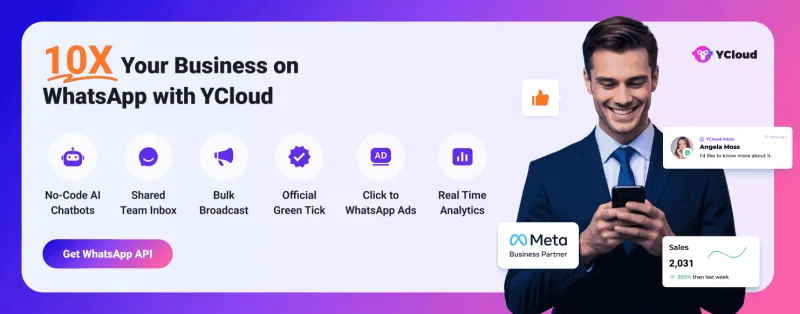
Built with AI at its core, YCloud is the ultimate WhatsApp marketing and automation solution, giving you everything you need in one powerful platform.
Now market, sell, support, and scale your business by 10X with YCloud!
Ready to try? Explore How to Get YCloud for FREE next!
How to Get YCloud for FREE?
It's Simple!
Subscribe to our FREE plan and get a free lifetime experience of YCloud with unlimited messaging API.
[Book a FREE Demo] and see how YCloud can power up your WhatsApp strategy!
🚀 Try YCloud today and see how effortless WhatsApp automation can be when you have the right partner.
Next, we’ll wrap up this guide with a quick summary and closing thoughts, plus a reminder of how to future-proof your WhatsApp API account.
Wrapping Up
Getting restricted on WhatsApp Business API can feel like hitting a wall, especially when your business relies on it for sales, support, and marketing. But with the right understanding of why it happens, how to recover, and how to prevent it, you can stay safely within Meta’s guidelines and keep your communication flow uninterrupted.
If you ever face a restriction, act fast, stay transparent, and follow the proper recovery process. And for long-term peace of mind, partner with an official WhatsApp API provider like YCloud, built for compliance, transparency, and growth, with 0% markup on messaging rates and AI-driven protection against policy violations.
Related Articles


Make your business communications much easier!


Trusted by